2.6 · Proof of concept · Terminal
Terminal Flow Real
What is moving in the terminal now, how much each system can carry, and where it is slowing.
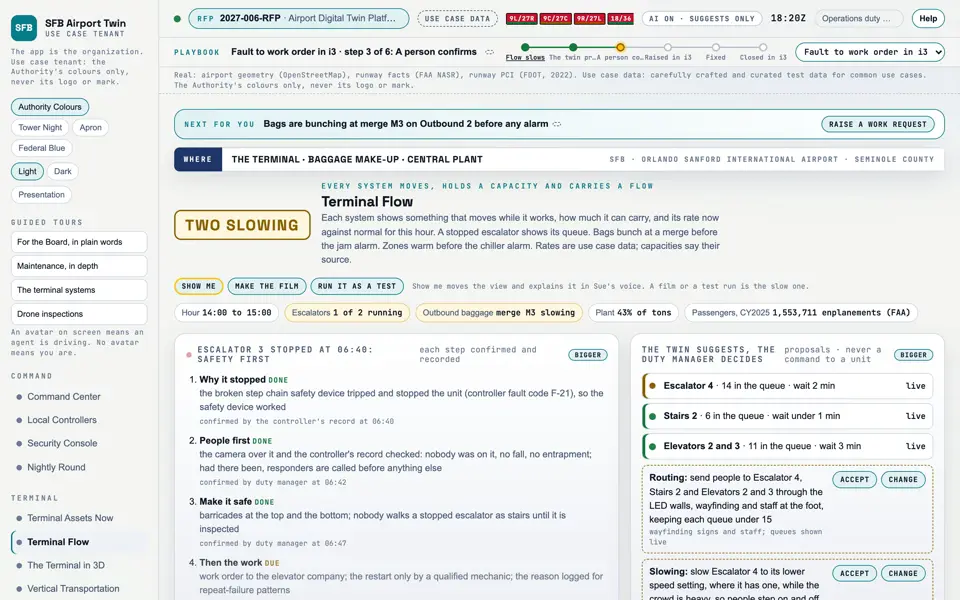
Picture: Headless capture of poc/index.html?v=flow&m=light, as the proof of concept renders it, 1400 by 875 at 2x scale.
Screen · Proof of concept · Terminal
What is moving in the terminal now, how much each system can carry, and where it is slowing.
- Sources
- Interchange
- Twin
- Screens
- Plan
- Kind
- Screen
- Status
- not linked
- Airport layer
- Screens: the POC story and the spines
- Airport area
- not linked
- System
- not linked
- Sensor type
- not linked
Open the screen · Open the detail
Level 2 of 3 This component, complete on its own. Its files, sources and tests are the detail below. Open the detail
Open this screen in the proof of concept
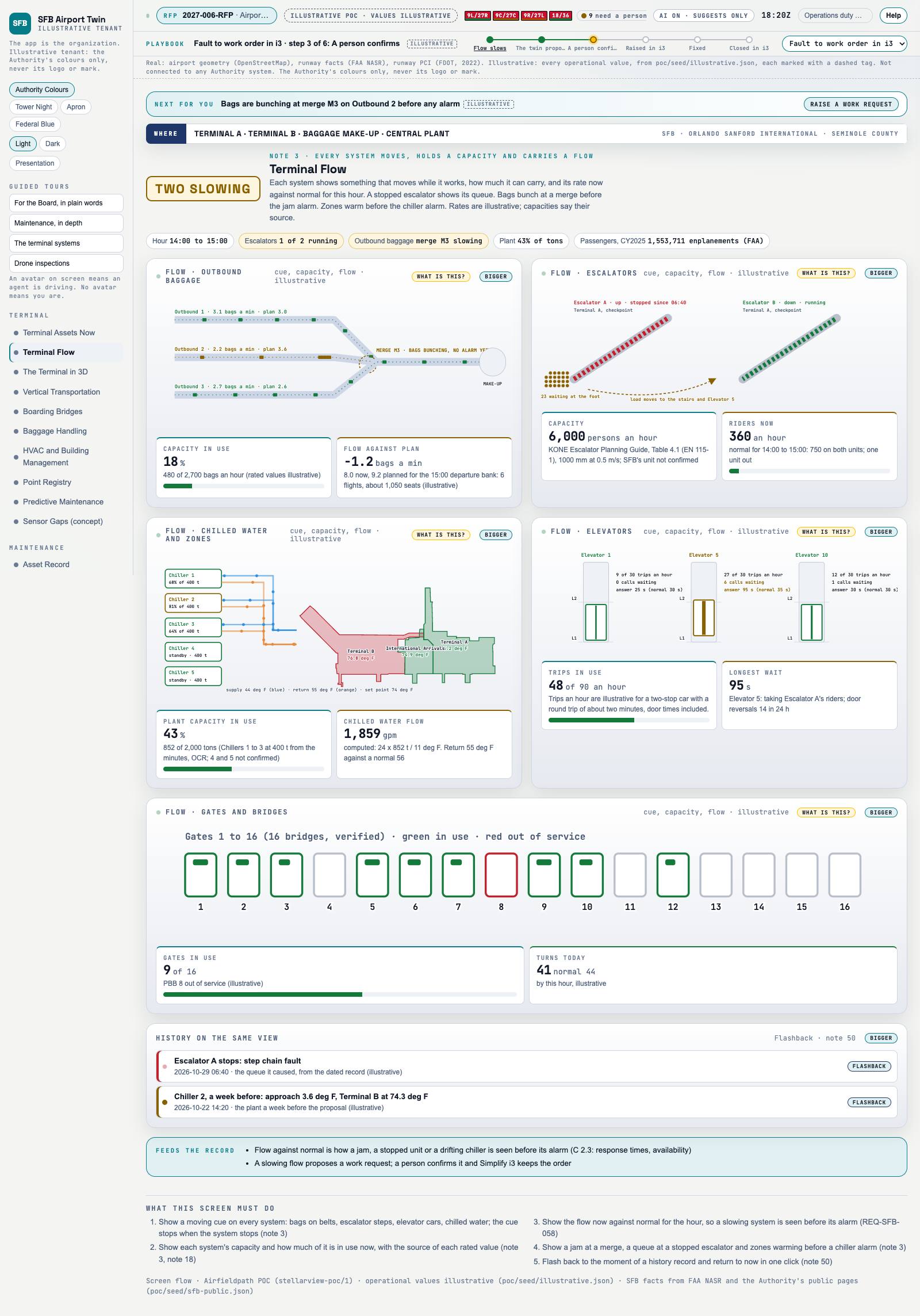 Capture of the screen: Terminal Flow. Dark and light modes.
Narration line
Each one shows what it can carry and how much of that is in use now, with the source of the rated value.
Source: poc/bearings/flow.json, beat "Capacity"
- Group
- Terminal
- Status as the app labels it
- Real
- Basis
- The screen runs. Data: carefully crafted and curated test data for common use cases.
What the screen must do (5)
- Show a moving cue on every system: bags on belts, escalator steps, elevator cars, chilled water; the cue stops when the system stops
- Show each system's capacity and how much of it is in use now, with the source of each rated value
- Show the flow now against normal for the hour, so a slowing system is seen before its alarm (REQ-SFB-058)
- Show a jam at a merge, a queue at a stopped escalator and zones warming before a chiller alarm
- Flash back to the moment of a history record and return to now in one click
Requirement identifiers (1)