2.59 · Proof of concept · Set up
Glossary Real
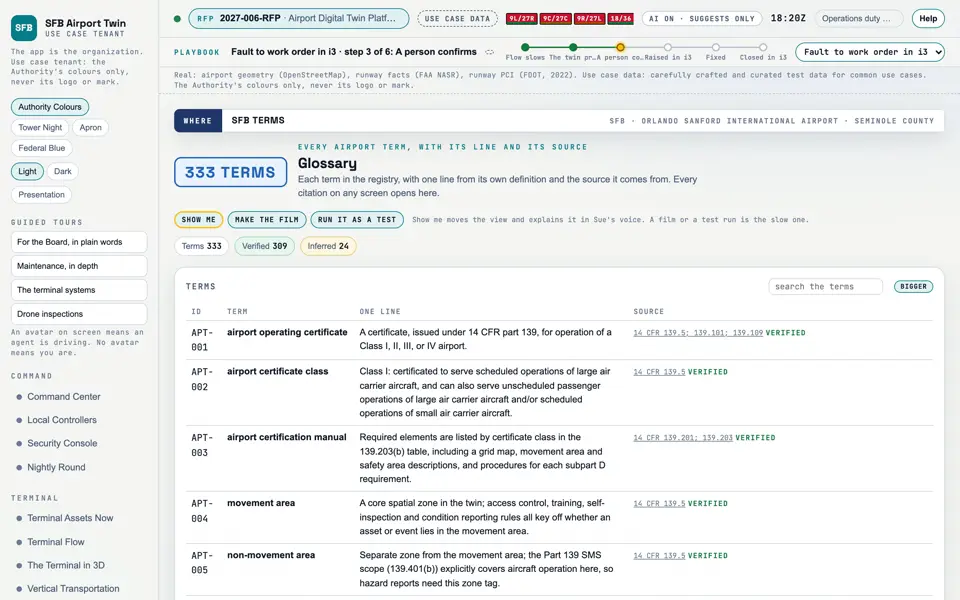
Every airport term the screens use, with one line and its source.
Picture: Headless capture of poc/index.html?v=glossary&m=light, as the proof of concept renders it, 1400 by 875 at 2x scale.
Screen · Proof of concept · Set up
Every airport term the screens use, with one line and its source.
- Sources
- Interchange
- Twin
- Screens
- Plan
- Kind
- Screen
- Status
- partly met
- Airport layer
- Screens: the POC story and the spines
- Airport area
- not linked
- System
- not linked
- Sensor type
- not linked
Open the screen · Open the detail
Level 2 of 3 This component, complete on its own. Its files, sources and tests are the detail below. Open the detail
Open this screen in the proof of concept
 Capture of the screen: Glossary. Dark and light modes.
- Group
- Set up
- Status as the app labels it
- Real
- Basis
- The screen runs. 333 terms from docs/domain-registry.json, each marked verified or inferred.
What the screen must do (2)
- List every registry term with one line from its own definition and its source (REQ-SFB-070)
- Open any citation on any screen at its glossary entry (REQ-SFB-070)
Requirements matrix rows that name this screen (1)
| Row | RFP section | Requirement | Status |
|---|
| M-071 | B v; RFP 10.4.5 | Training for administrators and user groups | partly met |
Requirement identifiers (1)