2.26 · Proof of concept · Connect
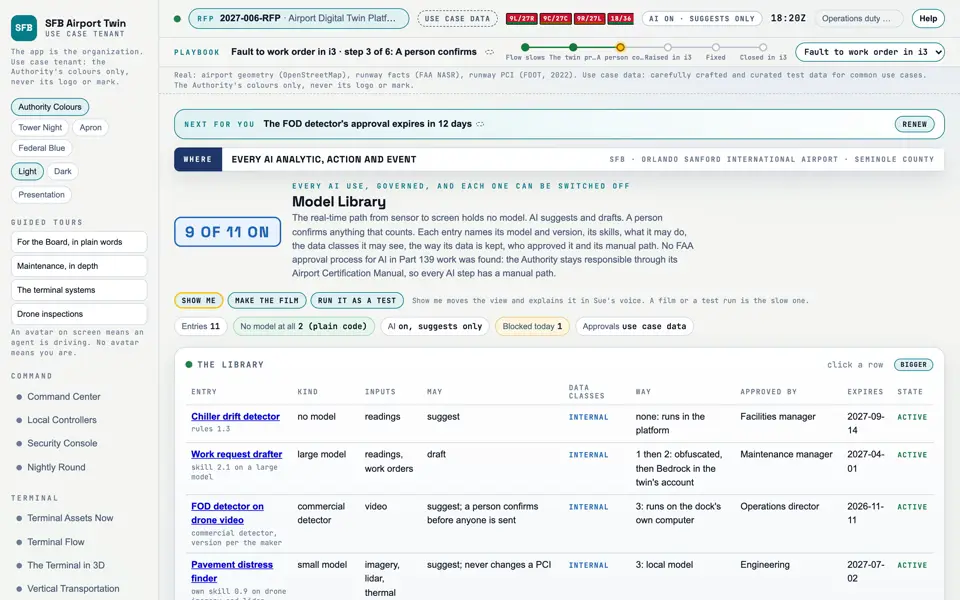
Model Library Real
Every use of AI and what it may see and do, with its approval and its manual path.when it is switched off.
Picture: Headless capture of poc/index.html?v=models&m=light, as the proof of concept renders it, 1400 by 875 at 2x scale.
Screen · Proof of concept · Connect
Every use of AI and what it may see and do, with its approval and its manual path.when it is switched off.
- Sources
- Interchange
- Twin
- Screens
- Plan
- Kind
- Screen
- Status
- not linked
- Airport layer
- Screens: the POC story and the spines
- Airport area
- not linked
- System
- not linked
- Sensor type
- not linked
Open the screen · Open the detail
Level 2 of 3 This component, complete on its own. Its files, sources and tests are the detail below. Open the detail
Open this screen in the proof of concept
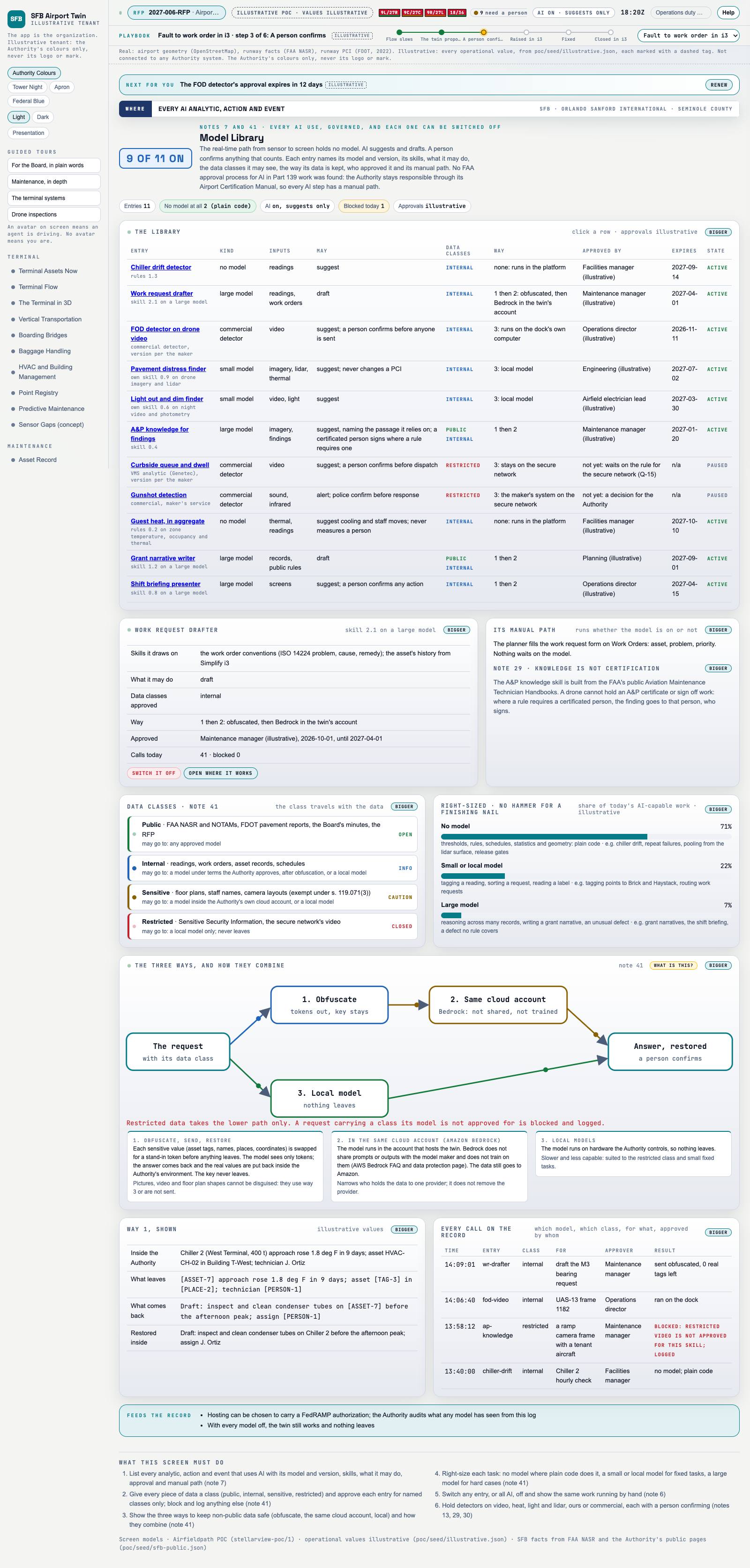 Capture of the screen: Model Library. Dark and light modes.
Narration line
Non-public data is obfuscated, kept in the same cloud account, or sent to a local model that keeps it home.
Source: poc/bearings/models.json, beat "Three ways"
- Group
- Connect
- Status as the app labels it
- Real
- Basis
- The screen runs. Data: carefully crafted and curated test data for common use cases.
What the screen must do (6)
- List every analytic, action and event that uses AI with its model and version, skills, what it may do, approval and manual path
- Give every piece of data a class (public, internal, sensitive, restricted) and approve each entry for named classes only; block and log anything else
- Show the three ways to keep non-public data safe (obfuscate, the same cloud account, local) and how they combine
- Right-size each task: no model where plain code does it, a small or local model for fixed tasks, a large model for hard cases
- Switch any entry, or all AI, off and show the same work running by hand
- Hold detectors on video, heat, light and lidar, ours or commercial, each with a person confirming