AirfieldpathOrlando Sanford International

How it works · 4 of 6

The Interchange

Ours, at the centre. It carries one work order out to the owner's system and its status back.

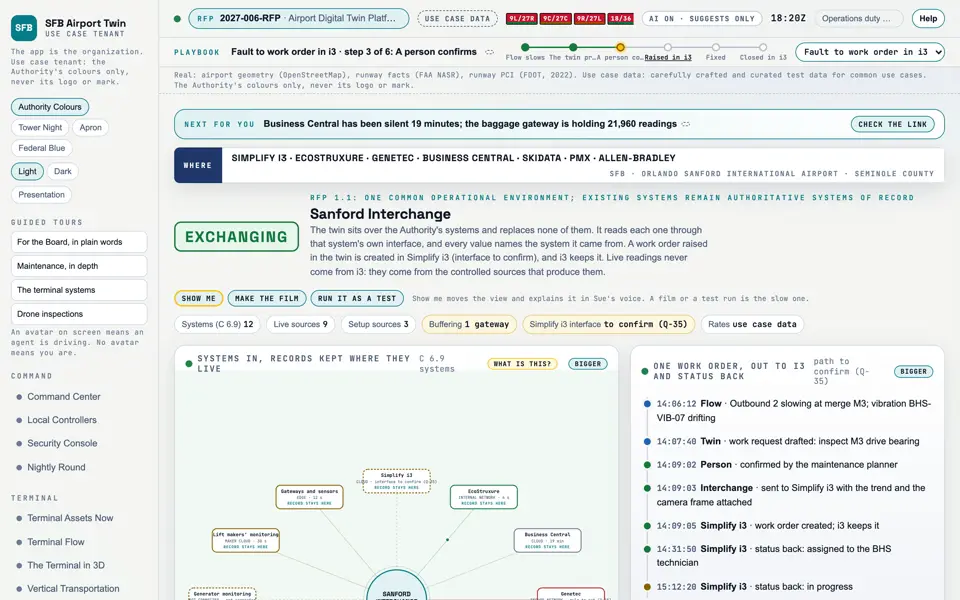
The Interchange screen of the proof of concept: a work order and its status flow
The Interchange. Headless capture of poc/index.html?v=interchange&m=light, as the proof of concept renders it, 1400 by 875 at 2x scale.
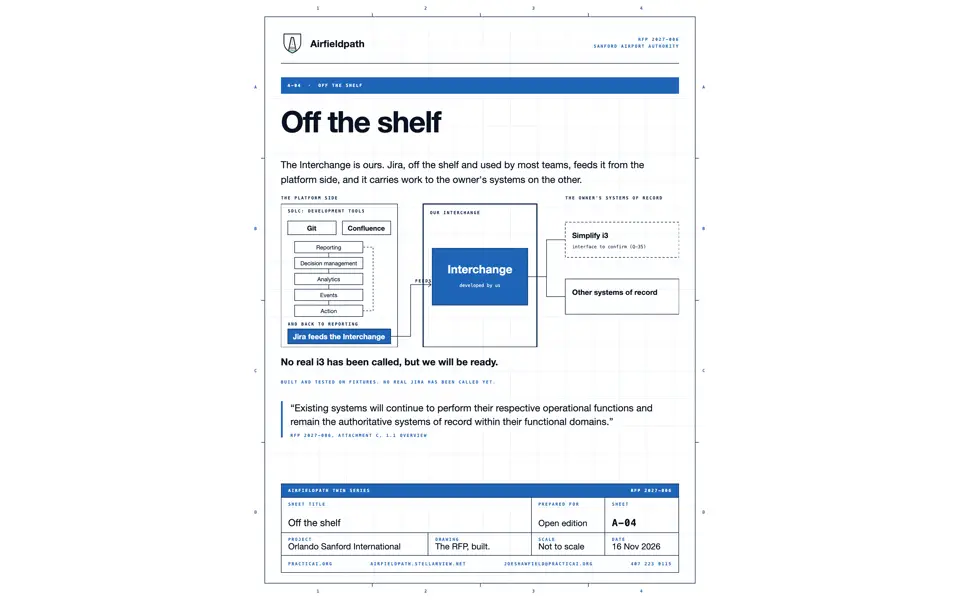
The Interchange between the platform and the owner
The platform sidethe twin, the screens, Jiraoff the shelfThe Interchangedeveloped by us: contracts,mappings, rules, evidenceThe owner's systems ofrecordSimplify i3 is the one theRFP names; interface toconfirm (Q-35)The platform sidethe twin, the screens, Jira off the shelfThe Interchangedeveloped by us: contracts, mappings,rules, evidenceThe owner's systems of recordSimplify i3 is the one the RFP names;interface to confirm (Q-35)

The Interchange is the developed component in the middle. The platform side feeds it. It carries work to the owner's systems of record on the far side and brings status back. The owner's systems stay the systems of record.

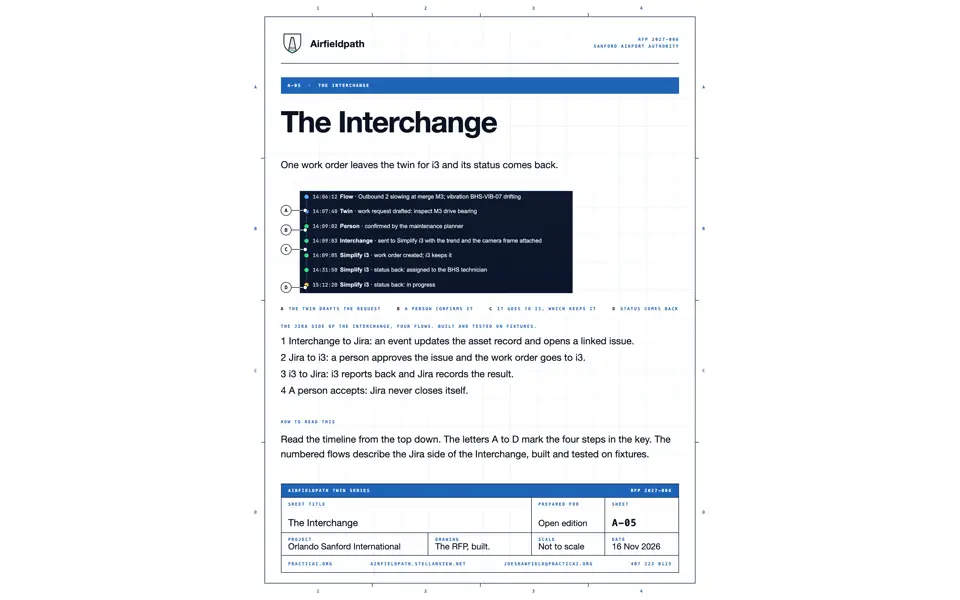
One work order leaves the twin for i3 and its status comes back. The twin drafts the request, a person confirms it, it goes to i3, which keeps it, and the status comes back (sheet A-05).

There are four flows. The Interchange updates the asset record and opens a linked Jira issue. A person approves the issue and the work order goes to i3. i3 reports back and Jira records the result. A person accepts, and Jira never closes itself.

It is built and tested on fixtures: 81 tests, 81 pass at the time this site was built. No real Jira and no real i3 has been called, but we will be ready. The Simplify i3 interface is to be confirmed with the Authority (Q-35).

Every hop writes an evidence line with the flow, the step and the attempt. The contracts, mappings, templates, adapters, source and tests are all listed on this site with their files.

Components for The Interchange

17 components on this site relate to this explainer: 6 document, 4 interchange contract, 3 code and tests, 4 screen. The best 6 are shown.

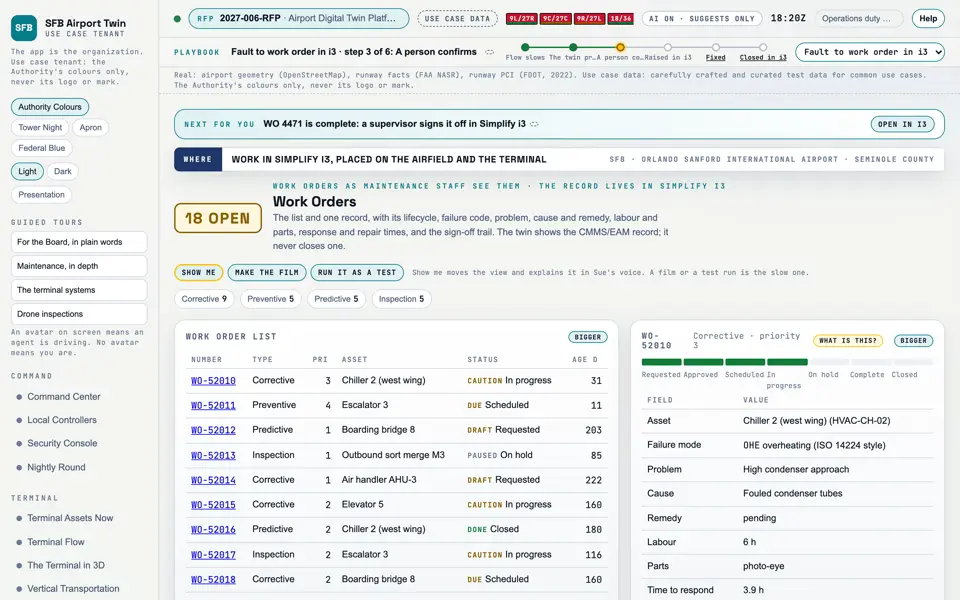
Picture: Headless capture of poc/index.html?v=wo&m=light, as the proof of concept renders it, 1400 by 875 at 2x scale.

Screen · Proof of concept · Maintenance

Work Orders

The repairs and inspections in hand, as the maintenance team sees them.

  1. Sources
  2. Interchange
  3. Twin
  4. Screens
  5. Plan
Kind
Screen
Status
partly met
Airport layer
Screens: the POC story and the spines
Airport area
not linked
System
not linked
Sensor type
not linked
SheetA-10

Open the screen · Open the detail

Picture: Headless capture of poc/index.html?v=interchange&m=light, as the proof of concept renders it, 1400 by 875 at 2x scale.

Screen · Proof of concept · Connect

Sanford Interchange

Every Authority system through one hub, each still the record of what it owns, with a work order going to Simplify i3 and its status coming back.

  1. Sources
  2. Interchange
  3. Twin
  4. Screens
  5. Plan
Kind
Screen
Status
not linked
Airport layer
Screens: the POC story and the spines
Airport area
not linked
System
not linked
Sensor type
not linked
SheetA-10

Open the screen · Open the detail

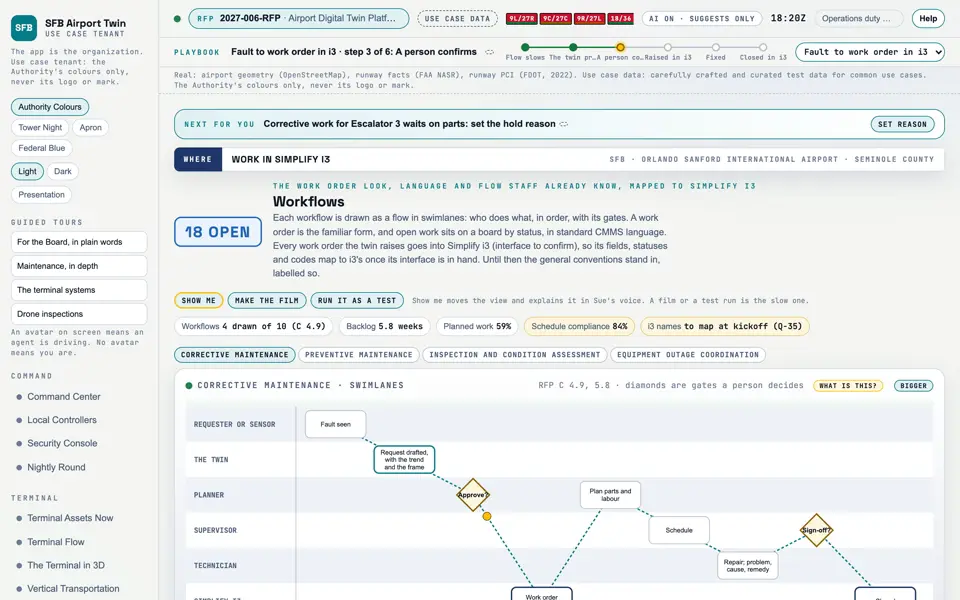
Picture: Headless capture of poc/index.html?v=workflows&m=light, as the proof of concept renders it, 1400 by 875 at 2x scale.
Clip: Capture of poc/index.html?v=workflows&m=light, 4 seconds of the screen as it runs, 10 frames a second. No sound.

Screen · Proof of concept · Prove

Workflows

How a fault becomes a repair: who is told and who approves it, and where the work is recorded.

  1. Sources
  2. Interchange
  3. Twin
  4. Screens
  5. Plan
Kind
Screen
Status
partly met, target
Airport layer
Screens: the POC story and the spines
Airport area
not linked
System
not linked
Sensor type
not linked
ScreensWorkflows

Open the screen · Open the detail

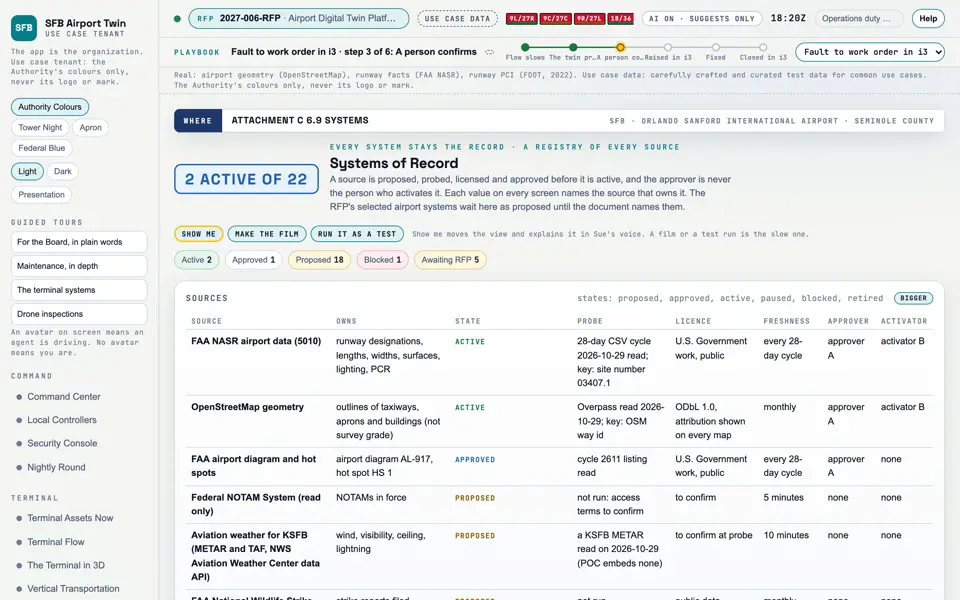
Picture: Headless capture of poc/index.html?v=sources&m=light, as the proof of concept renders it, 1400 by 875 at 2x scale.

Screen · Proof of concept · Set up

Systems of Record

Every system the twin reads, and proof that each one stays the record.

  1. Sources
  2. Interchange
  3. Twin
  4. Screens
  5. Plan
Kind
Screen
Status
partly met, target
Airport layer
Screens: the POC story and the spines
Airport area
not linked
System
not linked
Sensor type
not linked
SheetA-10

Open the screen · Open the detail

Picture: Preview image of sheet A-04, the PNG the sheet build writes beside the PDF, centred on a white frame.

Document · Documents · Sheets

A-04: Off the shelf

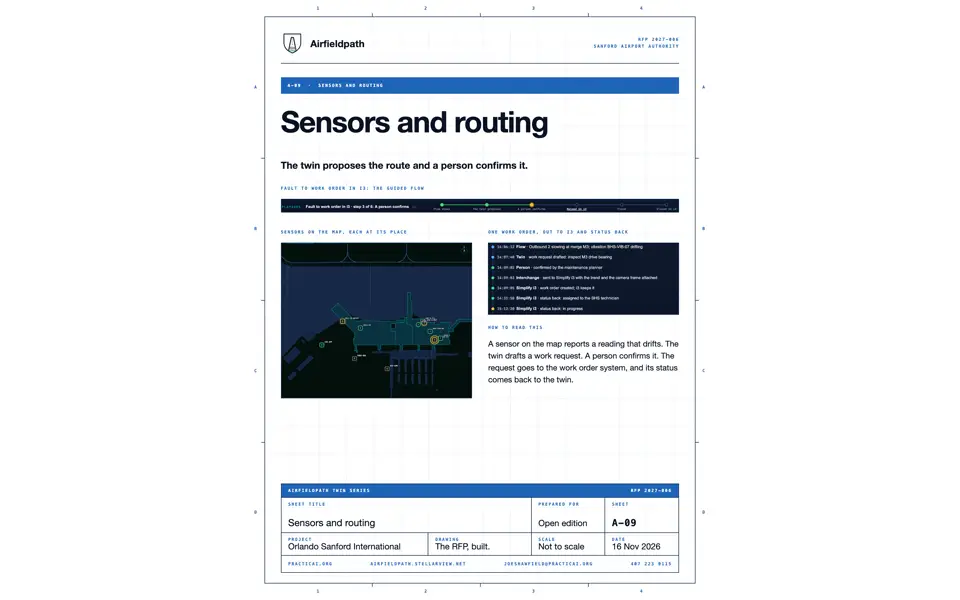
The Interchange is ours. Jira, off the shelf and used by most teams, feeds it from the platform side, and it carries work to the owner's systems on the other.
  1. Sources
  2. Interchange
  3. Twin
  4. Screens
  5. Plan
Kind
Document
Status
not linked
Airport layer
not linked
Airport area
not linked
System
not linked
Sensor type
not linked
SheetA-04

Open the detail

See all 17 related components

All 17 related components by type

Document

Interchange contract

Code and tests

Screen

Where to see it

Screens

Sheets

Requirement rows that name these screens (33)

M-004M-009M-015M-089M-119

28 more rowsM-121M-122M-131M-002M-006M-010M-024M-059M-060M-090M-098M-106M-107M-108M-130M-136M-138M-003M-011M-023M-062M-075M-092M-097M-104M-111M-114M-127